


How to Research eMusic and Write Articles That Earn (Beginner → Paid)
This guide walks you, step-by-step, through researching eMusic and related services, choosing angles, writing strong drafts, finding places to publish, and monetizing your articles (ads, affiliate, sponsored posts, freelancing).
You will get: topic ideas, an outline template, pitch templates, SEO tips, monetization strategies, and a long resource list with links so you can learn more and verify facts quickly.
Section 1 · Overview
What is eMusic (quick, source-backed)
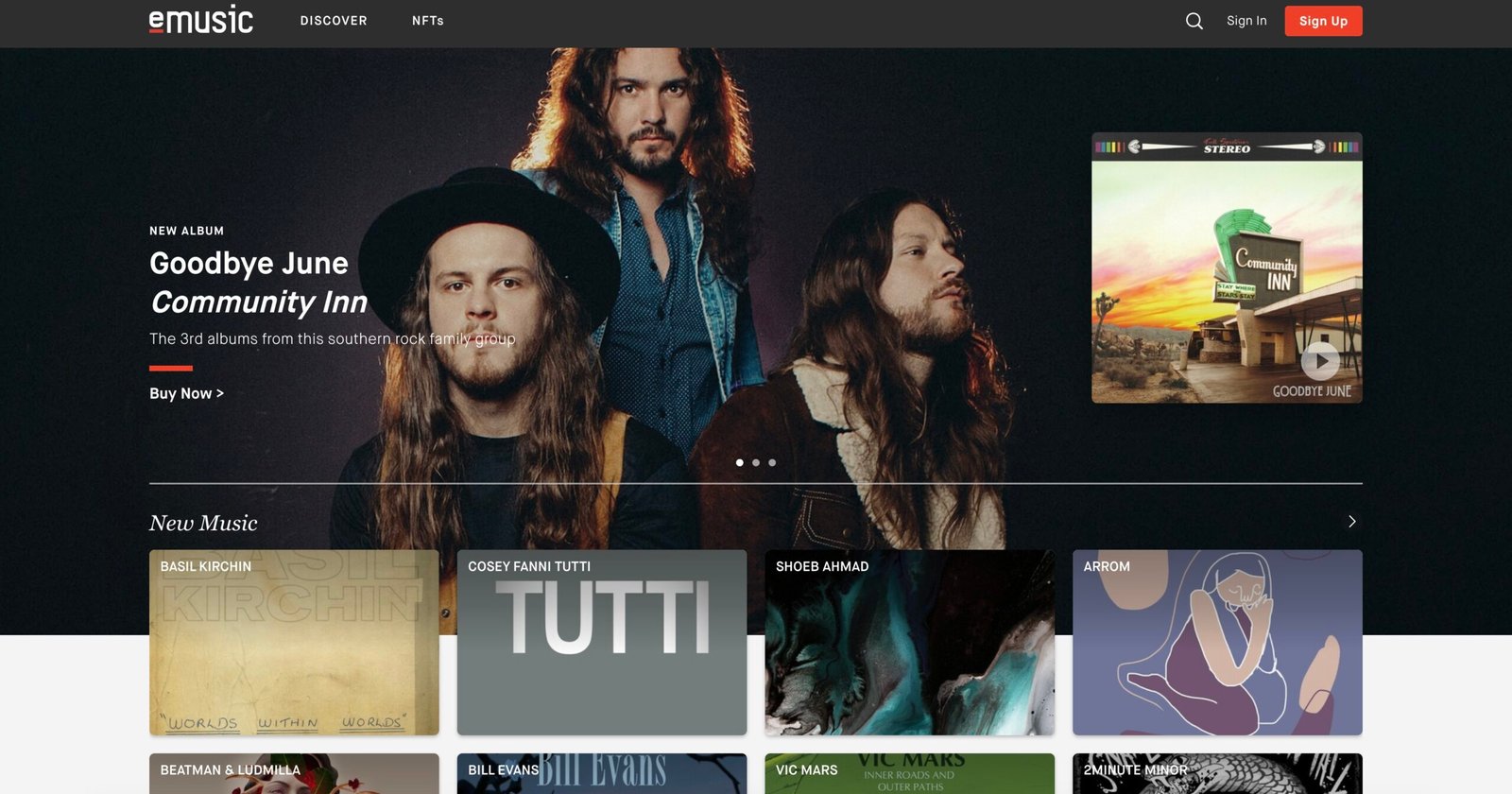
eMusic is a long-running online music store and subscription service that focuses heavily on downloadable tracks, access to indie catalogues, editorial content, and discovery features. You can find the official storefront and discovery tools on their homepage and mobile apps. See the official site for current features and subscriptions. (Primary source: eMusic official website.)
Historically, eMusic launched in the late 1990s as one of the first MP3 stores and grew by partnering with indie labels and avoiding DRM — this shaped its reputation for indie and niche catalogues. For background and company history, Wikipedia and archived press discuss acquisitions and subscription launches over the years.
Quick links to check now: eMusic — official site and the support hub (submit a request / help).
Section 2 · Where to research (and verify)
Reliable places to gather facts, screenshots, and quotes
When you write about a platform like eMusic, use primary sources first, then corroborate with independent coverage. Primary sources = the company’s own pages, support docs, official blog or newsroom, and their mobile app pages. Secondary sources = reputable press articles, industry writeups, or the project’s Wikipedia entry for historical context.
- eMusic homepage — features & discovery
- eMusic Help Center (Zendesk) — account, billing, features
- App store pages (Google Play / Apple App Store) for screenshots and recent reviews. Example: eMusic on Google Play.
- eMusic — Wikipedia entry (history & context)
- Tech press archives (TechCrunch, Wired) for major company moves.
- Industry data sites (Tracxn, Crunchbase) for company profile if you cover business/ownership.
Tips for verification:
- Always capture the date of any page you cite (e.g., “as of Feb 2026”).
- Use screenshots for UI descriptions and note the app version shown in the store page.
- If you quote pricing, point readers to the live pricing page — prices change.
Section 3 · Article angles that get clicks (and editor interest)
Choose an angle — and make it practical
Editors, blog readers, and magazine audiences love specific, useful angles. Here are tested angles you can adapt for eMusic content — each includes the ‘why it matters’ and a short outline idea.
“How to get the most from eMusic (plans, downloads, cloud storage)”
Why: users search for how eMusic compares to streaming services and how downloads work. Outline idea:
- Intro: who this guide helps (people who want downloads + discovery)
- Step-by-step: account, subscription tiers, how to redeem/download, booster packs
- Tips: organizing downloads, device limits, cloud library
- Conclusion: best use-cases and alternatives
“eMusic vs Spotify / Apple Music / Bandcamp: when downloads still win”
Why: comparative pieces attract search traffic and affiliate clicks. Outline idea:
- Quick summary of each service
- Matrix: downloads, pricing, artist revenue, indie catalogue, DRM
- Best user personas for each service
“How independent artists can get their music onto eMusic (distributors + tips)”
Why: artist-focused how-tos are high-value and shareable. Outline idea:
- Distribution options (third-party distributors that deliver to eMusic)
- Metadata, ISRCs, cover art standards
- Release promotion and maximizing editorial chances
“10 indie labels or 12 breakout albums to discover on eMusic”
Why: listicles are easy to write, highly shareable, and great for SEO. Outline idea:
- Short intro + criteria for picks
- Each pick with 2–3 lines + why listeners should care + link
“What eMusic’s business moves mean for indie artists”
Why: if eMusic changes policy or launches a new product, analysis pieces position you as a beat writer. Outline idea:
- Describe the change
- Explain likely impacts with quotes / history
- Actionable tips for artists and listeners
Section 4 · Workflow: Research → Draft → Publish
One reproducible workflow you can use every time
- Pick your angle from Section 3 and write a one-sentence value proposition: “This article helps X do Y by showing Z.”
- Create a fact-sheet (1 page) listing the primary links you’ll cite (official pages, support docs, app store, press). Include dates and screenshots.
- Build small demos where useful (e.g., a simple spreadsheet showing price comparisons, a short playlist, or screenshots). Host demos on GitHub/Gist, CodePen, or simply as images in your draft.
- Write the first draft in a plain editor. Use: intro → 4–7 sections → conclusion → practical next steps. Keep paragraphs short and include code/snippets/list items if needed.
- Edit for clarity — read aloud, check facts, and verify links. If you reference pricing or policies, include the exact date you checked.
- Add images & captions — screenshots, album covers (check fair-use), and attribution. Use captions that explain what the image shows.
- Prepare a pitch (if you plan to guest post) — include a short bio, 1–3 topics, and one full outline or sample paragraph. See Section 5 for pitch templates.
- Publish & promote — share on social, target communities (music forums, Reddit, Twitter/X threads), and reach out to artists or labels you mention.
Section 5 · Pitching: templates & places to send
Where to publish and sample pitch templates
You can publish on: your own blog, Dev.to, Medium, music blogs, trade magazines, or pitch directly to outlets that accept guest posts. For industry press, look for “write for us” pages. If you want to build a paid portfolio, prioritize small paid blogs and then advance to larger outlets.
Sample short email pitch (for blog / magazine)
Subject: Pitch: "How to get the most from eMusic" — practical guide + pricing matrix

Hi [Editor Name],

I'm [Your Name], a music writer and developer who builds playlists and writes guides for indie music tools.
I'd like to pitch a 1,200–1,800 word practical guide titled "How to get the most from eMusic (plans, downloads, cloud)."

Quick outline:
1. What eMusic is & who it's for (short)
2. How plans & downloads work — step-by-step
3. Tips for organizing your downloaded library
4. Alternatives & when to use them
5. Quick FAQ + resources

I can send a full draft or a published sample of the same length (link: [your-sample-link]).
My byline samples: [link1], [link2]. Thanks for considering — I can adapt the piece to your style.

Best,
[Your name]
Where to pitch / publish
- Your own site / Substack — full control & direct monetization.
- Music blogs (search for indie music blogs that accept contributors).
- Tech and lifestyle outlets (they sometimes accept music-tech pieces).
- Guest post networks and roundups (e.g., community sites, Medium publications).
Section 6 · Monetization (how writers actually earn)
Multiple income routes from eMusic-focused writing
You can mix and match these earning strategies. Think short-term (paid posts) + long-term (affiliate & audience building).
Write for music magazines, tech sites, or paid blogs. Negotiate a flat fee for the piece. Keep your pitch clear about length and rights.
If eMusic or associated services have affiliate/referral programs, include tracked links in buyer guides. Also partner with distributor platforms that pay affiliates.
Host content on your own blog with ad networks (Ezoic, Google AdSense) and long-tail SEO content for consistent traffic.
Once your site reaches an audience, labels or indie distributors may pay for sponsored editorials or spotlight posts about artist releases that appear on eMusic.
Section 7 · SEO, headlines & promotion
Make the article findable and shareable
SEO basics for beginners:
- Pick 1 primary keyword (e.g., “eMusic review”, “eMusic download guide”, “how to get music on eMusic”).
- Use the primary keyword in title, H1, first paragraph, and once in a subheading.
- Write descriptive meta description (120–160 chars) and alt text for images.
- Link to the official pages and other reputable resources.
- Use short paragraphs, numbered steps, and lists to improve scannability.
Headline templates that work
- “eMusic review 2026: Is it still worth buying downloads?”
- “How to upload and distribute your music to eMusic (step-by-step for indie artists)”
- “10 hidden indie albums to discover on eMusic”
- “eMusic vs Bandcamp: which is best for indie artists?”
Promotion checklist:
- Share to relevant subreddits (r/indieheads, r/MusicBusiness), Twitter/X threads, Facebook groups, and music Discords.
- Send a short newsletter blurb if you have an email list.
- Tag artists and labels mentioned — sometimes they will reshare.
- Add your post to Medium and Dev.to with canonical links if republishing.
Section 8 · Checklist & sample outlines
Ready-made outlines & pitch checklist
Article outline: “How to Get Music on eMusic (for indie artists)” — 1,600–2,200 words
- Intro — why eMusic matters for indie artists (100–150 words)
- How distribution to eMusic works (200–300 words)
- Direct vs distributor-based delivery
- Common distributors that list to eMusic
- Preparing your release (200–350 words)
- ISRCs, metadata, artwork specs, release dates
- Pricing, royalties, and what to expect (200–300 words)
- Promotion tips on release day (200–300 words)
- Case study / example (200–350 words)
- Conclusion + resources (links to distributors, eMusic support) (100–150 words)
Pre-pitch checklist
Section 9 · FAQ and large resource list (links)
Quick answers + many places to learn more
Resource list — official, industry, and useful tools
- eMusic official site — store, discovery, and account pages.
- eMusic Help Center (Zendesk) — support articles and FAQs.
- eMusic support: submit a request — use this to verify account policy details when writing.
- EMusic — Wikipedia — company history and context.
- eMusic Android app (Google Play) — screenshots and recent reviews.
- eMusic company profile (Tracxn) — business snapshot.
- TechCrunch: eMusic subscription launch (archival)
- EmuBands — distributor FAQ (notes on delivering to eMusic)
- SongCast: how to sell on eMusic
- CD Baby — distributor (check delivery partners)
- Ditto Music — distribution & affiliate programs
- Bandcamp — alternative indie-friendly platform
- Apple App Store developer resources (for app references)
- Google Play Console help (for Android app context)
- Music Business Worldwide — industry news
- Billboard — charts & industry reporting
- YouTube — host embedded clips (when licensing allows)
- GitHub — host small demos, CSVs, or data used in your piece
- Canva — create feature images and social graphics
- Moz — SEO guide for beginners
- FTC guidance on endorsements & disclosures