


Guide: How to Get Paid to Write for The A11Y Project (Step by Step)
This guide shows you, in simple steps, how you can learn accessibility, write a strong article, and pitch it to The A11Y Project — even if you are new to digital accessibility and new to writing for publications.
You’ll learn what they publish, how to pick an idea that fits, how to write in their style, how to submit (with or without GitHub), and how to use your published article to earn more money later (more clients, better paid guest posts, and stronger authority). Sentences are simple. You can treat this like a mini SOP.
Quick link hub: Write for Us · Contributing Guidelines · Content Style Guide · Code of Conduct · Checklist · Resources
Section 1 · Understand the publication
What The A11Y Project is — and why writing here helps you earn
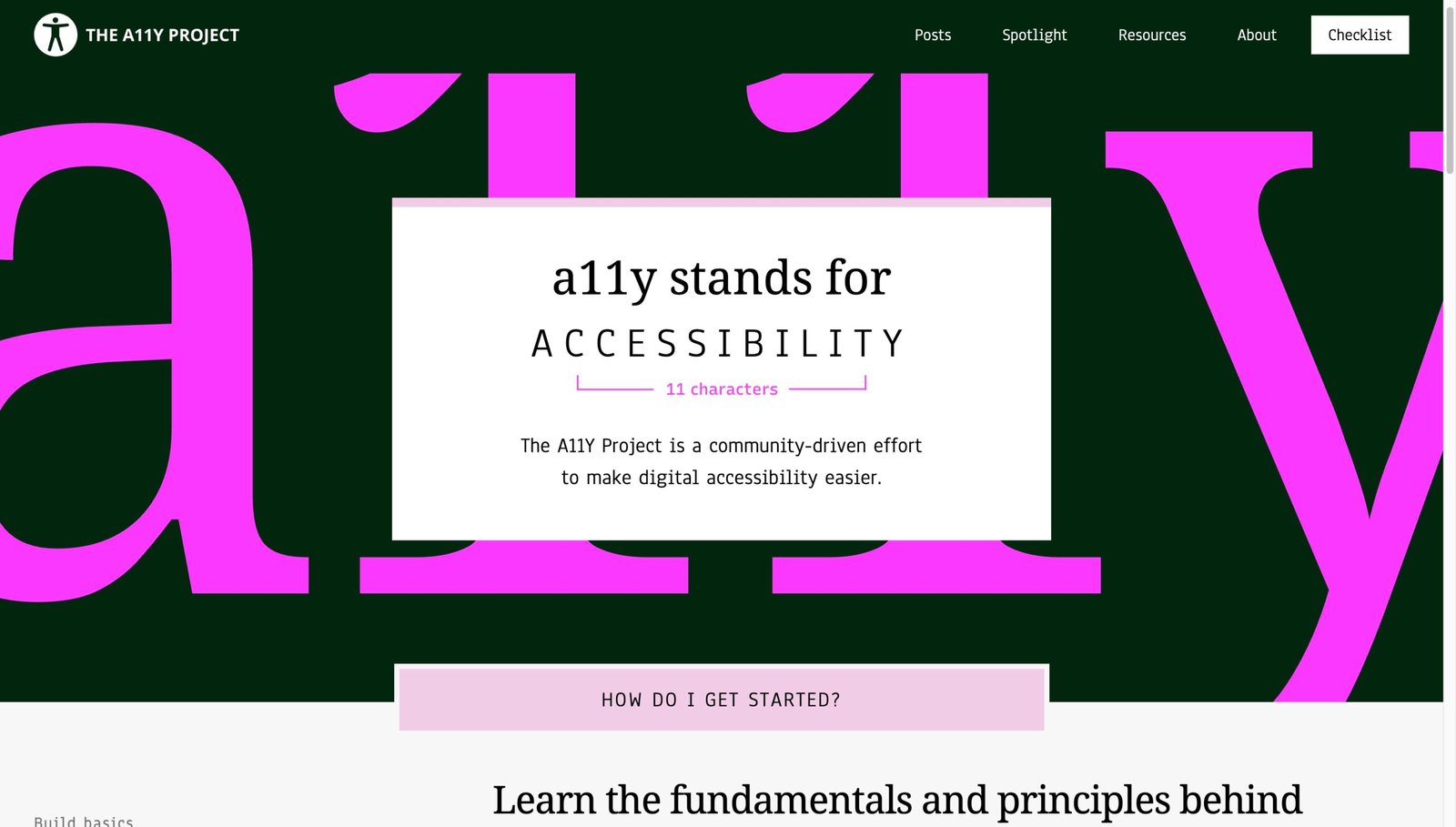
The A11Y Project is a community-driven website that helps people learn digital accessibility (often written as “a11y”). The goal is simple: make websites, apps, and digital content easier to use for everyone. Their content is written for beginners first — but it also helps experienced people refresh the basics.
If you want to earn money as a writer, accessibility is a strong niche. Why? Because companies must ship usable digital products, and many teams still struggle with accessibility. A clear, respectful, beginner-friendly article can bring you:
When you publish on a recognized learning site, your writing becomes a public sample. Editors, clients, and employers can see how you explain complex topics in simple words.
- Use your A11Y Project link in future pitches (to other sites).
- Use it in your portfolio and LinkedIn.
- Use it to get accessibility consulting gigs, audits, or training work later.
The A11Y Project also pays for published content (so it is not “exposure only”). But the bigger win is what your byline unlocks after: higher paid guest posts, clients, and recurring writing work.
- Start with one small post here.
- Turn that post into 3–5 paid pitches elsewhere.
- Build a niche reputation around accessibility.
Before you write anything, read these key pages and keep them open in tabs: Write for Us, Contributing Guidelines, Content Style Guide, and Code of Conduct. These pages tell you what content they accept and what they reject.
| Where you’ll use this guide | What you’ll produce | How it helps you earn |
|---|---|---|
| The A11Y Project | Short, beginner-first post (myth, tip, test, how-to) | Paid post + strong public sample |
| Your own blog | Expanded version, extra examples, local SEO angle | Traffic + affiliate + consulting leads |
| Guest posts / magazines | Case study, opinion, or “how we fixed it” story | Higher rates + recurring assignments |
| Clients | Accessibility audits, writing, UX fixes, training | Highest pay, long-term work |
Section 2 · Fit your idea
Pick an idea that fits (without guessing)
Most beginners fail because they choose ideas that are either too broad (“Accessibility is important”) or too technical (“ARIA properties, all of them”). The A11Y Project works best when you pick a small, practical slice that a beginner can apply today.
Use these fast “idea checks” to make sure your topic fits:
Is it beginner-first and easy to apply?
Their audience includes complete beginners. So your post should help someone who is new to accessibility take a clear step forward, without needing a big budget or special software.
- Good: “How to do a keyboard-only check in 5 minutes.”
- Good: “Myth: automated tools catch everything (they don’t).”
- Not great: “The full history of WCAG in extreme detail.”
Does it match one of their 7 content types?
The A11Y Project lists seven main content types (you’ll learn them in the next section). If your idea can’t fit into one of those shapes, rewrite it until it can.
- Can this be a myth, tip, test, how-to, experience, background, or assistive tech post?
- If yes, it will feel “native” to their site.
Can you prove it with a tiny demo or real test?
Accessibility writing must be trusted. Your post is stronger when you can show:
- A quick before/after (bad example → fixed example).
- A short checklist you personally ran (keyboard, zoom, contrast).
- A real tool walkthrough (NVDA basics, VoiceOver basics, etc.).
Does it avoid “promotion energy”?
The A11Y Project is careful about promotions, referral schemes, and backlink deals. Your post should teach, not sell.
- Write like a helpful teacher, not a marketer.
- If you mention tools, mention them because they are credible and helpful, not because you earn affiliate money.
Section 3 · Content types
The 7 content types (with beginner templates you can copy)
The A11Y Project says they publish seven main kinds of content. This is important because editors can approve your pitch faster when you tell them exactly which type you’re writing.
Below is a clear map of the seven types, plus a simple template for each. Use these templates like LEGO blocks. Keep your post short, focused, and respectful.
| Content type | What it is | Best for beginners | Mini template (structure) |
|---|---|---|---|
| Background | General concept explanation that helps people think clearly about accessibility. | Yes, if you keep it small and practical. |
1) What it is 2) Why it matters (real impact) 3) Common mistakes 4) What to do instead 5) Links to learn more |
| Myth | Short post that debunks a common misconception. | Perfect first post. |
1) Myth statement 2) Why people believe it 3) Why it’s wrong (simple proof) 4) Better truth 5) Quick actions |
| Quick test | A short set of steps to check if content is accessible. | Perfect if you can test it yourself. |
1) What you’re testing 2) Why it matters 3) Steps (numbered) 4) What “pass” looks like 5) Fix tips |
| Quick tip | Small, easy-to-implement advice with strong ROI. | Great for beginners. |
1) The tip (one sentence) 2) Bad example 3) Better example 4) One “why” line 5) Links |
| Assistive technology | Background info on tools people use to navigate digital interfaces. | Yes, if you keep it basic and respectful. |
1) What it is (plain) 2) Who uses it (avoid stereotypes) 3) Basic controls 4) Beginner practice steps 5) Links to official docs |
| How-to | Guide to implementing accessible code. | Yes, if you use small examples. |
1) Goal (what you’ll build) 2) Bad pattern 3) Correct code 4) Test it (keyboard + SR) 5) Common gotchas |
| Experience | Personal story about access needs and why a11y matters. | Only if you are sharing your own lived experience or have clear consent. |
1) Context (short) 2) The barrier (what went wrong) 3) Impact (what it cost you) 4) What helps 5) Ask / takeaway |
Want examples? Here are a few posts you can study for structure (read them as “how they teach,” not as “copy the topic”):
Semantic HTML is a great “background” topic because it explains a concept and shows why it matters.
- Notice short paragraphs.
- Notice how examples are practical.
- Notice how links support learning.
Myth: Automated tools can catch all issues shows the best myth format: clear claim → clear correction → actionable next steps.
- Short, direct sentences.
- Simple “what to do next.”
- No shame, no drama.
Section 4 · Style that wins
Write in The A11Y Project’s style (simple rules that get “yes”)
Writing for an accessibility audience has one extra responsibility: your post must be usable by many kinds of readers. That includes people using screen readers, keyboard navigation, zoom, high contrast modes, and more. So your writing needs to be both clear and accessible.
The A11Y Project has a Content Style Guide. You should follow it closely. Below are beginner-friendly “translation rules” so you don’t overthink it.
Write like you’re explaining to a smart friend
Prefer short sentences. Prefer common words. Prefer active voice. Define any necessary technical term the first time you use it. If you use acronyms (WCAG, ARIA, NVDA), say what they mean once.
- Bad: “This paradigm optimizes the operability of interactive affordances.”
- Better: “This change makes buttons easier to use with a keyboard.”
Use headings that describe the content
Headings are navigation for screen reader users and keyboard users. Make headings clear and meaningful, like mini summaries.
- Bad: “Step 2”
- Better: “Step 2: Check keyboard focus order”
- Better: “Fix: Use a real <button> instead of a clickable <div>”
Make links meaningful (no “click here”)
Links should tell the reader where they go. This helps everyone, especially screen reader users who skim link lists.
- Bad: “Click here to read more.”
- Better: “Read The A11Y Project Content Style Guide.”
- Better: “W3C WAI-ARIA Authoring Practices.”
Show an example (bad → better) whenever possible
Accessibility is easier when readers can see the difference. In most posts, add a tiny snippet that shows the wrong pattern and the correct pattern.
- Bad: “Don’t do low contrast.”
- Better: “Here is a low-contrast example and a higher-contrast alternative, plus how to test it.”
Now the “extra important” part: accessibility writing should not shame people. Many readers are learning. Use a supportive tone like: “Here’s a common mistake, and here’s the fix.”
Section 5 · Proof + trust
Research + build a tiny proof (so your post is trusted)
Accessibility advice spreads fast — and wrong advice also spreads fast. So your post must be correct. The safest way to write correct accessibility content is: test something real, then write what you did.
Below is a beginner-friendly “proof workflow.” You can do it in one afternoon. This makes your post stronger, and it also makes editors feel safe publishing your work.
Pick any of these:
- A page on your own site (best).
- A simple demo page you create (HTML file is enough).
- A public page only if you have permission to discuss it (avoid naming/shaming real brands).
Tip: Create a small local file called demo.html with one form, one nav, one button, one image. That’s enough.
- Keyboard check: can you reach everything with Tab/Shift+Tab?
- Zoom check: does it still work at 200% zoom?
- Contrast check: can you read text easily?
You can base many posts on these checks. They also connect nicely to the site’s Checklist.
Now create your “proof notes.” This becomes your draft. Use this simple format:
| Note field | What you write (example) | Why it helps your post |
|---|---|---|
| Problem | “The button is a <div> and it can’t be activated by keyboard.” | Gives your post a clear focus. |
| Impact | “Keyboard-only users can’t submit the form.” | Keeps the post human, not just technical. |
| Fix | “Use a real <button> element and visible focus styling.” | Shows the solution, not just the complaint. |
| Test | “Tab reaches the button; Enter/Space activates it; focus ring is visible.” | Proves your advice works. |
| Links | “MDN button element + WAI-ARIA patterns (if needed).” | Gives the reader a learning path. |
Optional (but powerful): read one A11Y Project post that matches your format and copy its structure. For example, if you are writing a myth, study: Myth: Automated tools can catch all issues.
Section 6 · Submission workflow
Step-by-step submission workflow (GitHub or email)
The official process starts on the Write for Us page. The important detail is: you can contribute with GitHub or without GitHub.
This section gives you a complete beginner workflow for both paths — plus a “pitch format” that editors can review quickly.
Choose your content type + title (one line)
Pick one of the 7 types and create a clear title. Title formula that works well:
- Myth: “Myth: [false belief]”
- Quick test: “Quick test: [what to check]”
- How-to: “How to: [build/fix a specific thing]”
Example: “Quick test: check visible focus states in 3 minutes.”
Write your pitch in a tiny “editor-friendly” format
Editors can approve faster when your pitch is structured. Use this exact format (copy/paste it into your issue or email):
- Type: Myth / Quick tip / Quick test / How-to / Background / Assistive tech / Experience
- Working title: (1 line)
- Audience: “Beginners who…” (1 line)
- Promise: “After reading, you can…” (1 line)
- Outline: 4–7 bullet points
- Proof: what you tested or built (1–3 lines)
- Links: 2–5 best learning links (not 50)
Your goal is to make it easy for the editor to say: “Yes, this fits.”
If you have GitHub: submit an Issue
The Write for Us page says GitHub contributors should submit an issue with a clear subject line. Start here: a11yproject/a11yproject.com Issues.
- Click “New issue.”
- Use a clear title (example: “New myth post about automated testing”).
- Paste your pitch format from Step 2.
- Attach or link to your draft (Google Docs is fine).
Bonus: If you want easier starter tasks, check “Good First Issue”: Good First Issue label.
If you don’t have GitHub: pitch by email
If you prefer not to use GitHub, you can contact them as described on the Write for Us page. In your email, include:
- Your pitch format (Step 2).
- A link to your draft in a commentable format (Google Docs / Dropbox Paper / etc.).
- A short 2–3 line bio (relevant experience only).
Tip: Put your content type in the subject line, like: “Pitch: Quick test — keyboard navigation basics.”
Expect editing (and treat it as professional training)
Editors will review your post and suggest changes. This is normal. Don’t take edits personally. The goal is: publish a post that is correct and helpful.
- Answer questions clearly.
- Fix any unclear language.
- Re-test steps if needed.
- Keep your tone supportive and calm.
When the editor is satisfied, your post is published and you are notified.
Section 7 · Money plan
Money + career plan (beyond the $75)
The A11Y Project pays per published post (great), but you should think bigger than one payment. Accessibility writing is a skill that can turn into a steady income stream.
Here is a simple beginner money ladder (start small → earn more):
- Publish one short post on The A11Y Project.
- Write an expanded version on your own blog (more examples, more screenshots).
- Use internal links to your related posts to build a small accessibility content hub.
Result: you now have one strong clip and one “home base” article you own.
- Pitch the same topic to other publications as a different angle (case study, checklist, opinion).
- Use your A11Y Project post as proof that you can write clearly about a11y.
- Offer a specific promise: what the reader can do after reading.
Result: higher paid assignments become easier because editors trust you.
Then move to “productized” income (this is where many accessibility writers earn more):
| Income stream | What you offer | How your A11Y Project post helps |
|---|---|---|
| Accessibility audits | Quick checks + report + prioritized fixes | Your post shows you understand basics and communicate clearly |
| Training workshops | Teach teams keyboard testing, semantics, forms, etc. | Your post becomes the “preview” of your teaching style |
| Retainer writing | Monthly a11y articles for a company blog | Clips remove doubt (“They can write this topic well.”) |
| UX + content consulting | Fix forms, nav, error messages, headings, alt text | Your post proves practical, real-world ability |
A simple monthly plan (beginner-friendly):
Publish 1 + pitch 3 + sell 1
- Publish 1: One short A11Y Project post (myth or test).
- Pitch 3: Three related guest post ideas to other sites.
- Sell 1: One small service offer (audit, workshop, or a11y content review).
Repeat for 3 months. Your portfolio grows fast, and your confidence grows faster.
Section 8 · Ethics & AI
Ethics, AI, inclusion, and “do no harm” writing
Accessibility content affects real people. If your post is wrong, it can create barriers. If your tone is careless, it can make readers feel unwelcome. So this is the section many writers skip — but it’s the section that makes you professional.
- Don’t shame: “Only idiots use div buttons.” (No.) Teach the fix instead.
- Don’t stereotype: avoid “all blind people…” or “disabled users always…”
- Don’t invent: no fake “I tested this on 20 users” stories.
- Don’t promote: avoid spammy links, referral schemes, backlink deals.
- Don’t copy: rewrite in your own words and credit sources properly.
AI can help with outlining and clarity — but it can also hallucinate technical details. If you use AI, use it like an assistant, not like an author.
- Use AI to propose headings or a draft outline.
- Then rewrite fully in your own voice.
- Test every code snippet yourself.
- Verify every claim with a reliable source (W3C / MDN / reputable orgs).
Your name is on the post. You are responsible for correctness.
Also: follow community rules. Read and respect the Code of Conduct and the site’s Accessibility Statement.
Section 9 · Micro-SOP
Final pre-submit checklist (use this every time)
This checklist turns your writing into a repeatable system. If you follow it, you will submit better work with less stress.
Section 10 · Quick answers + link library
FAQ for beginners + the best learning links (a lot of them)
- W3C: Web Content Accessibility Guidelines (WCAG)
- WAI-ARIA Authoring Practices Guide (APG)
- MDN Web Docs: Accessibility
- WebAIM (guides + contrast checker)
- Deque: axe (accessibility testing tooling)
- Apple VoiceOver User Guide (Mac)
- NVDA screen reader (about + downloads)
- W3C WAI: Evaluate accessibility
- W3C Markup Validation Service
- W3C WAI Tutorials (forms, images, tables)