


Guide: How to Get Paid to Write for Envato Tuts+ (Step by Step)
This in-depth guide shows you how to plan, write, and pitch tutorials for Envato Tuts+ so you can earn money, build a portfolio, and grow as a technical or creative author.
We cover what Tuts+ looks for, how to find the right angle, creating demo-ready samples, filling the contribution form, payment expectations, and ethics around AI and reuse. Read this as a step-by-step micro-SOP.
Section 1 · About the publication
What Envato Tuts+ actually publishes (and why it matters)
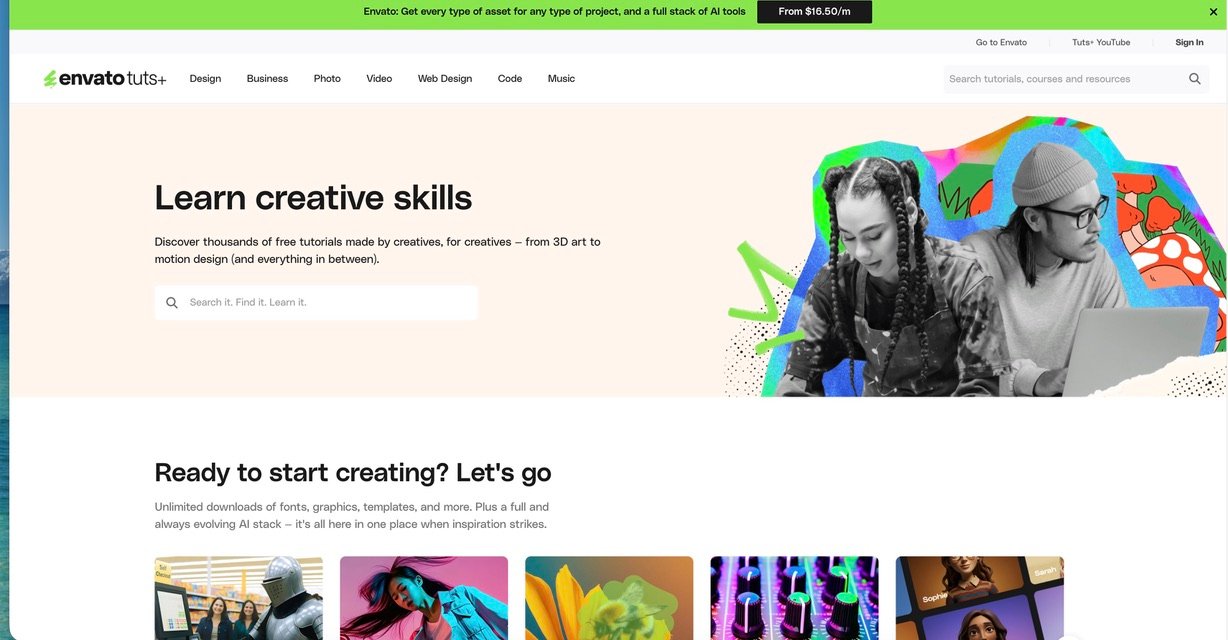
Envato Tuts+ (often called Tuts+) is Envato’s learning platform for creatives and web professionals. It hosts written tutorials, video courses, short tips, code-first walkthroughs, and downloadable assets for design, development, photography, video, and business skills. The site is audience-first: readers want practical, project-led, and usable content they can apply within minutes.
Tuts+ runs several verticals (Code, Design, Business, Photo, Music) and accepts contributions across these areas via their teacher / author program. Their official contributor teaching page explains the process and benefits of working with them, and their historical “call for authors” posts explain typical rates and article shapes. (Links in the resources section below.)
Common formats that work well:
- Step-by-step tutorials that build a small project (e.g., “Build a responsive portfolio with Flexbox and CSS Grid”).
- Short courses or multi-part series that teach a skill in progressive lessons.
- Quick tips and tricks (single concept, quick wins).
- Tool walk-throughs showing workflows in Figma, Photoshop, VS Code, Notion, or Webflow.
- Photography or design how-tos with before/after assets and downloadable files.
The typical reader is a maker — a designer, developer, creative pro, or hobbyist — who wants to learn a practical skill quickly. They expect clear steps, working files, and outcomes they can reproduce.
Write for people who have a bit of context already (not total novices) and prefer hands-on examples over long theory.
| Article type | Tuts+ vertical | Depth | When to use |
|---|---|---|---|
| Single tutorial | Code/Design/Photo | 1200–2500 words; code + demo | Teach a focused workflow or component |
| Short course (multi-part) | Code/Design | 3–6 lessons; each 800–2000 words | Teach a broader skill like “Intro to Web Animations” |
| Quick tip | All areas | 300–800 words | Small, immediate improvement or trick |
Section 2 · Fit your idea
Is your idea a Tuts+-shaped idea?
Tuts+ needs project-led, reproducible content. To test an idea, run it through these three checks.
Does it produce a real result?
If readers follow your tutorial, will they have a working result? For example, a hosted demo, downloadable PSD, or a repository they can clone. If the answer is no, rethink the scope.
Is the angle specific and actionable?
Instead of “Learn React”, try “How to add accessible keyboard navigation to a React menu” — that’s tangible and useful.
Can you provide assets and verified steps?
Tuts+ prefers working files and verified steps. Provide downloads, links to repos, and test notes so editors can run your examples without guesswork.
Section 3 · Build a small base
Prepare samples, demos, and a mini-portfolio
Even if you’re new, you can get invited by building a small writing ladder: personal blog posts, Dev.to, Medium, or smaller paid blogs. The goal is to have 3–5 polished examples with real code or assets.
- 1–2 full tutorials on your blog or Dev.to.
- 1 demo repository on GitHub or a CodePen/JSFiddle.
- A small design asset pack or screenshot set if you’re writing about design or photo.
These samples prove you can finish a reproducible tutorial and include the files Tuts+ likes to host.
- Read 3–5 recent tutorials in your vertical on Tuts+.
- Outline their structure: intro, prerequisites, step list, code, screenshots, downloads.
- Note tone, link style, and how they present files and step verification.
This makes your pitch feel native to their editorial voice.
| Step | Where | Main goal |
|---|---|---|
| Start | Your blog / Dev.to | Practice tutorials with reproducible demo |
| Middle | Small blogs / local newsletters | Collect clips and editor feedback |
| Target | Tuts+ & Envato teaching | Submit polished lessons and downloadable files |
Section 4 · Practical workflow
Step-by-step pitch plan for Tuts+
Use this compact SOP to turn your idea into a clear submission that editors can act on.
Read the Tuts+ “Teach” page & contributor help
Open Tuts+ Teach and any contributor pages. Note the file types, lesson lengths and whether they prefer multi-part courses or single tutorials for your vertical.
Write one-sentence value prop
Example: “This tutorial shows front-end devs how to implement a lightweight, accessible tabs component in React using ARIA and keyboard controls.” Keep it tight.
Prepare an outline + assets list
Make a short outline (introduction, prerequisites, steps, result, conclusion) and list files you’ll supply (ZIP of code, screenshots, final build link).
Publish a sample article (strongly recommended)
Before pitching, publish a full tutorial somewhere else (Dev.to, Medium, or your blog). Use it as a writing sample and to show you can ship a working lesson.
Submit via the Tuts+ / Envato teach contact or pitch process
Tuts+ previously accepted pitches via contact or “call for authors” posts and now generally directs potential teachers to the Teach hub where you can express interest. Include: short bio, 2–3 ideas with 3–6 line blurbs, a clear outline for one idea, links to samples, and asset examples.
Be practical with follow-ups and reuse
Editors receive many pitches. If you don’t hear back in 2–4 weeks, a short friendly follow-up is OK. If rejected, reuse and adapt your idea for other outlets or turn it into a mini-course or paid workshop.
Section 5 · Money
How authors typically get paid (what public posts say)
Public call-for-authors posts and community writeups (linked below) show historical pay ranges like $60 for quick tips, $150–$250 for regular tutorials, and higher rates for premium courses or multi-part series. Payment terms can change — always confirm with the editor for any assignment. ([code.tutsplus.com](https://code.tutsplus.com/call-for-authors-write-for-tuts–cms-22034a?utm_source=chatgpt.com))
- Flat fee per piece, agreed before work or at assignment.
- Higher rates sometimes available for established instructors, screencasts, or multi-part courses.
- Some authors who publish regularly report steady monthly income when combining tutorials and premium content.
- Pitch multi-part content or courses, which often pay more.
- Offer accompanying assets (downloadable files, starter projects) — they increase editorial interest.
- Use a Tuts+ byline as a portfolio piece to get freelance gigs and higher-paying client work.
| Piece | Historical pay (public posts) | Strategy |
|---|---|---|
| Quick tip | $50–$100 | Short, discovery piece — quick to write |
| Standard tutorial | $150–$300 | Good first Tuts+ assignment |
| Premium course / screencast | $300–$1000+ | Requires more assets and time — negotiate |
Section 6 · Ethics & AI
Trust matters — be honest, tested, and source-ready
Envato and Tuts+ editors prioritise accuracy. Don’t submit untested code, copied text, or fabricated case studies. AI can be helpful — but always review, test, and rewrite to match your voice and to verify examples yourself.
- Submitting AI-generated drafts without deep personal edits and testing.
- Copying code or screenshots from other authors without permission.
- Claiming expertise you don’t have — editors can spot it quickly.
- Use AI for brainstorming or to draft an outline, then write and test the code yourself.
- Use AI to generate a checklist or test plan, but run every test on your machine.
- Credit external libraries and third-party code and link to docs.
Section 7 · Micro-SOP
Final checklist before you pitch
Use this checklist each time you prepare a pitch.
Section 8 · FAQ
Quick answers for beginners
Section 9 · Templates you can copy
Ready-to-use outline, pitch text, and brief
Subject: Pitch: “Accessible keyboard tabs for React — tutorial + demo”
Hi, I’m [Your name], a front-end developer who builds accessible UI. I’d like to write a Tuts+ tutorial showing how to build an accessible tabs component in React (with ARIA attributes and keyboard controls). The piece will include: 1) motivation and accessibility issues, 2) step-by-step code with a live CodeSandbox demo, 3) downloadable repo and test checklist. Estimated length: 1,500–2,000 words. Samples: [link to published tutorial]. Thanks for considering — I can provide a full outline or sample lesson on request.
- Intro — the accessibility problem and outcome (100–150 words)
- Prerequisites & files (what versions they need)
- Step 1 — basic HTML structure and ARIA roles
- Step 2 — React component & keyboard handlers
- Step 3 — polishing, styling with CSS/Tailwind
- Step 4 — testing & accessibility checklist
- Conclusion & further reading
- Downloads — GitHub repo, CodeSandbox link, screenshots