


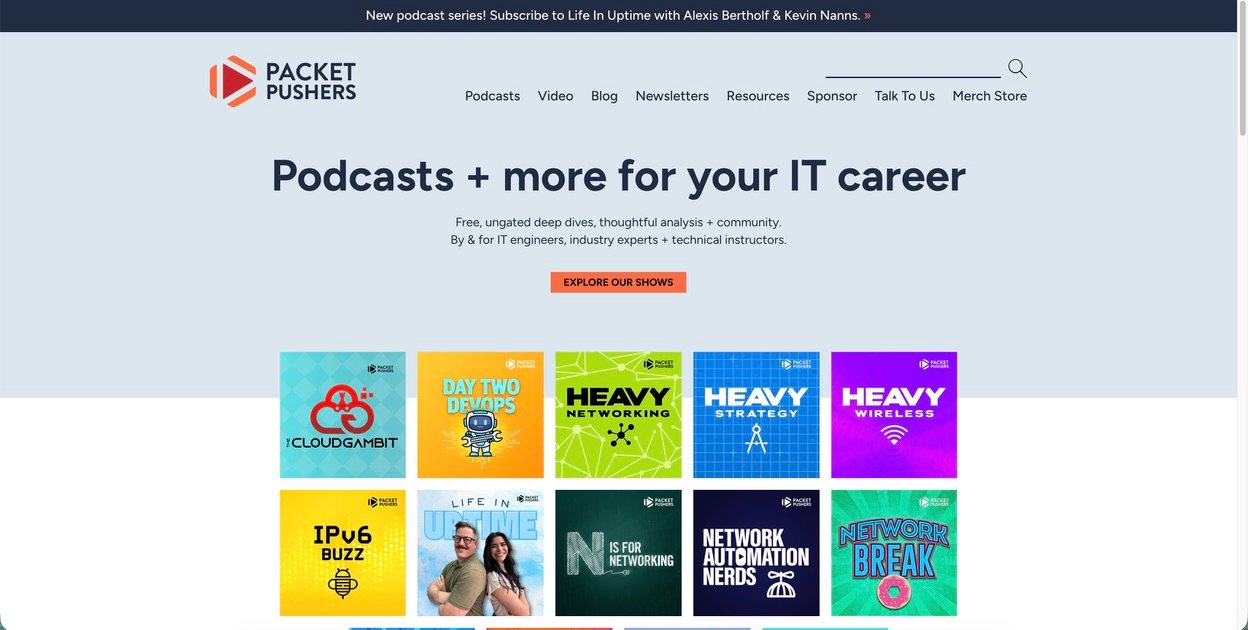
How to Write for Packet Pushers (Community Blog & Newsletter) — Beginner’s Guide
This long-form guide walks you through everything a beginner needs to research, write, publish, and monetize content for the Packet Pushers audience — including the community blog and the Packet Capture / Human Infrastructure newsletters.
You’ll get a step-by-step pitch SOP, sample outlines, a ready-to-copy pitch template, promotion tactics for shows/newsletters/podcasts, and practical monetization ideas so your writing can turn into paid work, consulting leads, or sponsored opportunities.
Section 1 · Know the publication
Who are Packet Pushers and who reads them?
Packet Pushers is a focused technical media network for network engineers, cloud and infrastructure professionals, and cybersecurity practitioners. They publish podcasts, long-form blog posts, technical how-tos, sponsored analysis, and weekly newsletters that reach a community of hands-on engineers and practitioners. Their site aggregates show notes, tutorials, industry analysis, and community-written posts. The Packet Pushers blog is a place where practitioners publish practical, operationally focused material that helps other engineers solve real problems.
Tip: before you design an idea, browse the Packet Pushers Blog, the Podcasts page, and the Newsletters page to see recent content formats, headlines, and which technical levels they publish.
- Practical how-to articles for network automation, observability, routing/switching operational tips.
- Interviews and deeper analysis on vendors, products, and architectures in podcast form.
- Community posts and newsletters that highlight tools, projects, and job postings.
- Working network engineers, automation engineers, SREs, cloud architects, security engineers.
- People who value operational detail, reproducible examples, and troubleshooting tips.
- Busy practitioners—articles that save time or solve a recurring problem rank highest.
Section 2 · Does your idea fit?
How to shape an idea Packet Pushers editors and readers will like
Start with a clear problem statement: what exact task, bug, or decision will your article help a network engineer perform better? Instead of “intro to Ansible”, choose something explicit and outcome-focused like “Use Ansible to automate Cisco IOS config backups and verify integrity with tests” or “Reduce MTTR by 40%: a reproducible NetBox + GitOps workflow for device lifecycle”. Concrete outcomes make editors and readers pay attention.
Make it about what engineers do every day
Readers want concrete steps: how to debug latency, how to write a playbook to standardize configs, how to collect telemetry and interpret it. If your idea reduces toil, clarifies a tricky tool, or shows reproducible automation, it’s in the right zone.
Narrow the scope and name tools
Use a specific stack: “Ansible + NetBox + GitHub Actions for config drift detection” is better than “infrastructure automation.” Editors expect tool names, versions, and reproducible steps.
Provide evidence — logs, screenshots, repos
Readers trust content with working examples: GitHub repo links, sanitized configs, CI logs, sample telemetry dashboards, or short demo videos. If possible, attach a small reproducible repo and clear README.
Section 3 · Prepare before you pitch
Build 3–5 strong samples and a demo repo
Packet Pushers values demonstrated experience. You don’t need to be famous — but you should be able to point to a few pieces that show you can finish a technical article and explain complex things clearly. That often means publishing on your own blog, Dev.to, or a community blog, and creating small code repos, testbed configs, or recorded demos.
- Small GitHub repo with a README and sample configs or playbooks.
- Short demo video or GIF showing the result (30–120 seconds).
- Sanitized data and clear instructions to reproduce in a lab (or emulated environment).
- Optional: a live demo link (playground, NetBox instance, or sandbox) if it’s safe to share.
| Sample type | Why it helps | How to present it |
|---|---|---|
| Tutorial + repo | Shows you can teach and deliver runnable examples | Link to GitHub + short README and exact commands |
| Short troubleshooting post | Shows real-world problem solving | Include telemetry, commands used, and resolution steps |
| Tool integration walkthrough | Shows architectural thinking | Diagrams, code snippets, and a minimal demo |
Section 4 · Pitch workflow
Step-by-step workflow to pitch the Packet Pushers community blog or newsletter
Packet Pushers offers a community blog where practitioners publish, and their newsletters (Packet Capture / Human Infrastructure) highlight recent content. The editorial team and community hosts review submissions and may invite you to expand a post into a full article or a podcast appearance. Use this simple SOP to prepare and submit a professional pitch.
Research the site & read the community post guidance
Open the Packet Pushers blog and the specific community post that describes how to contribute. Keep that guidance visible while you draft — it usually explains how they handle community submissions, reposting, and editorial expectations.
Prepare a short pitch (1 paragraph + outline)
Your pitch should include: 1) one-sentence topic statement and reader, 2) a 6–8 line outline showing the article flow, 3) links to a sample article and your demo repo, 4) two sentences bio (who you are and why you’re credible).
Submit to the community blog or contact the editors
Follow the submission method described on Packet Pushers’ blog or community page. If they provide a form or email for community posts, use it. If the site recommends Slack for first contact, join the Packet Pushers Slack and introduce yourself in the appropriate channel.
Provide files and links they can copy/paste
Include a plain-text version of your article (or a Google Doc), images (1200px wide recommended), code snippets, and an optional ZIP of your demo. Editors appreciate materials that take little prep work to publish.
Follow up once (politely)
Big editorial teams are busy. If you haven’t heard in 2–3 weeks, send a short, polite follow-up that restates your interest and links the pitch again. If they decline, ask briefly for feedback and reuse the piece elsewhere.
Section 5 · Writing the article
How to structure a Packet Pushers-friendly tutorial or analysis
A strong Packet Pushers post is practical, direct, and reproducible. Below is a recommended template you can reuse every time you write a technical tutorial or case study for a network audience.
Article structure (recommended)
- Title: Short, outcome-focused (e.g., “Automate Cisco Backup with Ansible and GitHub Actions”).
- TL;DR / one-sentence summary: What the reader will get (1–2 lines).
- Why this matters: A brief paragraph explaining the operational problem.
- Prerequisites & environment: OS, tool versions, device types, permissions.
- Step-by-step guide: 4–8 numbered steps, each with commands, config snippets, expected output.
- Result & verification: How to confirm things worked (tests, telemetry checks).
- Troubleshooting section: Common errors and fixes.
- References & repo link: Link to the GitHub repo, test data, and vendor docs.
- Short author bio & contact: 1–2 lines and links to your blog / LinkedIn / GitHub.
Section 6 · Promotion & integrated channels
How to get your article noticed: podcasts, Slack, and newsletters
Packet Pushers is more than a blog — it’s a network of podcasts, newsletters, and an active Slack. After your post is live, use these channels to amplify reach and create opportunities for paid gigs or podcast invitations.
Join the Packet Pushers Slack (see the community page) and post a short thread linking to your article, the repo, and a one-line result. Respect channel rules and avoid direct product promotions unless asked.
If your article offers an interesting case study, automation story, or vendor-agnostic lesson, pitch it as a topic for a relevant Packet Pushers show. Podcast appearances increase author credibility and can lead to paid consulting requests.
Section 7 · Money: how to turn writing into income
Direct pay, leads, sponsorships, and business value
Packet Pushers occasionally runs sponsored posts and paid work, and top contributors can get visibility that converts into consulting, training, or speaking opportunities. For many authors, the first articles are portfolio builders that produce higher-paying work later. Below are practical revenue pathways you can pursue.
Some posts are sponsored or commissioned by vendors; rates vary and are negotiated with Packet Pushers. If you care about direct payment, make this clear when you pitch and be transparent about vendor relationships.
Your article leads can turn into:
- Consulting engagements (troubleshooting, automation projects).
- Paid workshops or training for a company that liked your approach.
- Speaking invites and paid conference talks.
- Book or course proposals based on a series of high-quality posts.
| Monetization path | How to pursue it |
|---|---|
| Consulting leads | Include a clear “Hire me” or contact link in your bio and case studies |
| Sponsored posts | Identify product-neutral angles or work with Packet Pushers to co-create content |
| Training & workshops | Offer a short workshop based on your article and market it to companies in Slack/newsletter |
Section 8 · Reposting, ethics & AI
What to know about reposting, AI use, and editorial ethics
Packet Pushers supports an active community and their community blog arrangements are often flexible about reposting — community authors are commonly allowed to republish content elsewhere later if they coordinate with the editors. Always confirm specifics for each post and retain clear records of any exclusivity period an editor requires.
Common practice on community blogs: you can link to things you’ve written elsewhere, and if you publish on the community blog and later need it removed so you can use it elsewhere, editors often accommodate removals if you ask. Always check the exact policy for the article you publish and keep a copy of the published version.
AI tools can help brainstorm or rewrite for clarity, but final technical accuracy is your responsibility. Do not submit AI-generated analysis or unverified code as-is. Run every snippet, verify outputs, and annotate where AI helped (if required by editor).
Section 9 · Pitch templates & samples
Copy-and-paste pitch templates you can use (two variants)
Below are two ready-to-send pitch templates: one tight and professional for community blog submissions, and one longer that includes an outline for a deeper tutorial. Replace bracketed sections with your details and links.
Subject: Community post idea — [Short Title]: [One-line outcome]

Hi Packet Pushers team — my name is [Your Name], I’m a [role, e.g., network automation engineer] at [company or hobbyist / independent]. I’d like to submit a community post titled:

“[Short Title] — [one-line summary]”

TL;DR: [One sentence that states what the reader will learn and the result.]

Why this matters: [2–3 lines describing the operational problem and why Packet Pushers readers care.]

Outline:
1) Problem & context — who this helps and prerequisites.
2) Quick demo — what we’ll build.
3) Steps — commands / code snippets / verification.
4) Troubleshooting & next steps.
Repo & demo: [GitHub link / demo link]
Sample article: [link to a previous piece or blog post]
Bio: [1–2 lines plus GitHub/LinkedIn/email]

Thanks for considering — happy to draft a full article if this fits the community blog.
— [Your Name] ([handle])
Subject: Article pitch: [Descriptive Title]

Hi [Editor Name or Packet Pushers team],

I’d like to pitch a full-length tutorial for Packet Pushers titled:
[Descriptive Title]

Short summary:
[Two-sentence summary — what the reader will be able to do, and why it matters operationally.]

Proposed outline (detailed):
1. TL;DR and problem statement (150–200 words)
2. Prerequisites & testbed (list exact versions)
3. Step 1 — [what you configure or build]
   - commands, sample outputs
4. Step 2 — [next step]
   - code snippets and checks
5. Results & verification (how to prove it works)
6. Troubleshooting common failures
7. Further reading & links to repos

Deliverables:
- Full article in Markdown or Google Doc
- GitHub repo with reproducible demo
- Short 2-minute demo video (optional)
- 1–2 follow-up mini-post ideas (for newsletter/podcast tie-in)

My clips:
- [link to 1–3 published samples]
Bio: [short bio + links]

If you prefer, I can write the first draft and submit it for editorial review. Thanks for your time and for everything Packet Pushers does for the community.

Best,
[Your Name]
Section 10 · Final checklist & FAQ
Quick checklist before you hit send — and answers to common questions
- Want To Create Content? — Packet Pushers community blog guidance
- Packet Pushers Blog (all posts)
- Packet Pushers Newsletters
- Packet Pushers Slack / Community page
- Packet Pushers Podcasts — how to pitch topics
- GitHub — host your demo
- Dev.to — publish samples quickly
- CodePen — front-end demos (when applicable)
- LinkedIn — promote and network