


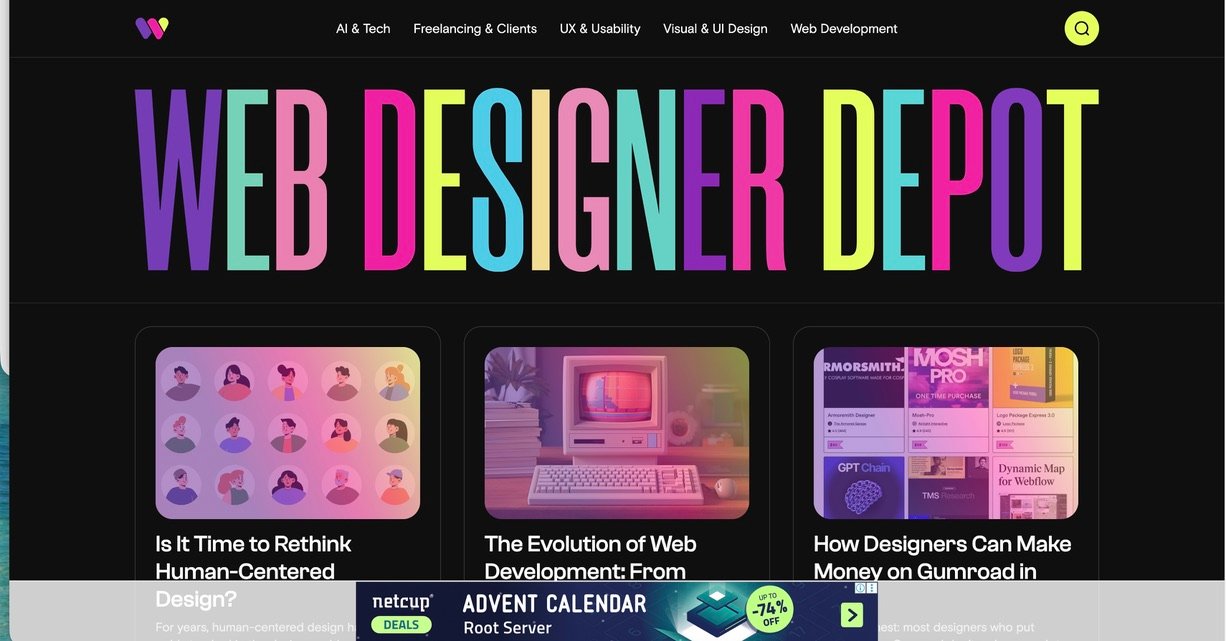
Guide: How to Write for WebDesigner Depot (and Earn Money) — Step by Step
This is a beginner-friendly, super practical guide to help you write blog posts, articles, magazine-style pieces, and guest-style contributions in the WebDesigner Depot style — and turn your writing into income.
You will learn how to pick the right topics, build samples, create a pitch, write clearly, include strong links, pass editing, and use your byline to earn through more opportunities. I also include a Reality Check because WebDesigner Depot’s pages show mixed signals: their contributor page discusses contributing, while their contact page says they are not accepting guest posts. This guide covers both situations so you can still win.
Important links to keep open while learning: Home · Contributor Page · Contact · About · Legal · Sitemap · AI & Tech · Freelancing & Clients · UX & Usability · Visual & UI Design · Web Development
Section 1 · Understand the publication
What WebDesigner Depot actually is (and what they publish)
WebDesigner Depot is a web design blog that publishes practical and opinionated writing across design, UX, UI, tools, freelancing, and web development. Their categories make the focus clear: AI & Tech, Freelancing & Clients, UX & Usability, Visual & UI Design, and Web Development.
If you want to earn money writing online, you need to write where people already read. WebDesigner Depot has exactly the kind of audience that can later turn into: clients, freelance writing gigs, product sales, course buyers, and job offers. Your goal is not only “publish one article”. Your goal is to publish a piece that becomes an asset.
- Clear opinions: what’s changing in design, UX, UI, and tools.
- Actionable lessons: what to do on real projects and why.
- Practical resources: tools, UI patterns, workflows, and decision frameworks.
- Career help: freelancing, pricing, salaries, and client work.
- Modern web: dev workflows, platforms, performance, and “build vs buy” decisions.
In simple words: readers want helpful thinking and useful moves, not boring textbook writing.
- Blog-style explainers (with examples and a strong angle).
- Magazine-style pieces (more narrative + opinions).
- How-to guides (with steps, screenshots, code, or templates).
- Comparisons (tool vs tool, approach vs approach).
- Case-based lessons (what you tried, what failed, what worked).
You don’t need to be famous. But you do need to be clear and useful.
| Content type | Best for | What to include | Beginner difficulty |
|---|---|---|---|
| Opinion + framework | UX/UI, tools, AI | Clear thesis, examples, “do this / avoid that” | Medium |
| How-to guide | Dev + practical design | Steps, screenshots, links, code/snippets | Medium–Hard |
| Career/clients piece | Freelancers | Templates, pricing logic, negotiation tips | Easy–Medium |
| Tool review / comparison | Decision help | Pros/cons, table, who it’s for, workflow | Easy–Medium |
Section 2 · Reality Check
Are they accepting guest posts or contributors right now?
This is extremely important for beginners: you should not waste time writing a full guest post if the website is not accepting submissions right now. WebDesigner Depot has an older contributor page that describes contributing (regular posts, word count, samples), but their Contact page says they are no longer accepting guest posts.
Always check the newest “Contact” / “Write for us” signals first
Before you write anything, check:
- Contact page
- Contributor page
- Legal page (for rights and reuse context)
- The latest posts on the homepage (to see current style)
If “guest posts are not accepted” is clearly stated, respect that and use the Plan B route below.
If they accept contributors (or hire writers): apply like a professional
The contributor page mentions contributing as a blogger and suggests sending writing samples plus a short summary. Treat that like a job application, not like a random guest post email.
- Send 2–4 strong links (published samples).
- Propose 3 topic ideas matched to their categories.
- Show you understand their voice and readers.
- Ask about pay/rate politely (don’t demand; be professional).
If submissions are closed: still use this guide to earn money
Here’s the smart part: even if you cannot publish on WebDesigner Depot today, you can still:
- Write “WebDesignerDepot-style” articles on your own blog (and build a portfolio).
- Publish the same type of content on open platforms like Medium and DEV.
- Pitch other paid sites (you can reuse the same outline + samples).
- Turn your writing into client leads and product sales.
So you still win: you become a writer who can earn — with or without one specific website.
Section 3 · Voice & style
Learn the WebDesigner Depot writing style in 60 minutes
Many beginners fail because they write “generic blog content.” WebDesigner Depot readers expect writing that feels modern and specific: strong titles, clear point-of-view, real examples, and practical takeaways.
Your job is to match three things: (1) topic fit, (2) voice fit, (3) usefulness. Do this and you look like a professional.
- Clear thesis: you have one main point.
- Real examples: UI patterns, tools, projects, screenshots, or code.
- Practical guidance: the reader can apply something today.
- Modern references: AI tools, no-code, new workflows, real constraints.
- Short paragraphs: make it easy to read.
- Helpful links: link to official docs and supporting reading.
Your writing should feel like: “I understand your problem, and here is the best way to think about it.”
- Open the homepage and read 2 recent posts.
- Open one big guide: UI Design in 2026.
- Open one UX pattern post: Vertical vs Horizontal Cards.
- Open one dev/tool opinion post: Why Webflow Isn’t the Future — Yet.
- Take notes: title → hook → sections → examples → conclusion.
After this, your outline will naturally sound closer to their style.
| What beginners write | What pros write (WDD-style) | Simple upgrade |
|---|---|---|
| “UI design is important.” | “UI design fails when it hides decisions. Here’s how to design for clarity.” | Add a clear opinion + problem |
| “Here are some tools.” | “These tools solve these workflows — and here’s who should avoid them.” | Match tools to use-cases |
| “UX tips for beginners.” | “This UX tradeoff decides conversion: density vs clarity. Here’s the framework.” | Use one central tension |
Section 4 · Topic selection
Pick topics that match their categories (and are easy to monetize)
Topic selection is where beginners either win fast or waste weeks. A “good” topic must satisfy three things: (1) fits the site, (2) helps real readers, (3) builds your earning power.
WebDesigner Depot organizes content into five major categories. Use these category pages as your “topic boundaries”: AI & Tech, Freelancing & Clients, UX & Usability, Visual & UI Design, Web Development.
Write “decision help” topics
The easiest topics to monetize are topics that help someone decide: what to do, what to avoid, and what to choose. Decision-help writing attracts clients because clients pay for decisions.
- “When friction improves UX (and when it kills conversion).”
- “When you should use Webflow vs custom code.”
- “What a good design system actually needs (not what tools promise).”
- “How to price design work without undercharging.”
Choose a “repeatable” theme so you can build a series
One article is good. A series is better. Pick a theme that you can write about 6–10 times:
- UX tradeoffs (cards, navigation, forms, onboarding, dashboards).
- Design system truth (tokens, components, documentation, governance).
- AI for design workflows (research, prototyping, writing microcopy).
- Freelance systems (onboarding, proposals, retainers, boundaries).
- Modern dev choices (no-code vs low-code vs code, performance, accessibility).
Series = faster writing + bigger portfolio + more income opportunities.
Use their existing popular posts to find angles
A smart beginner does not “copy topics.” They copy topic patterns. Study a few examples:
- Vertical vs. Horizontal Cards (UX tradeoff framing)
- UI Design in 2026 (big guide framing)
- Why Webflow Isn’t the Future — Yet (opinion + nuance)
- Make Money on Gumroad (career monetization framing)
Now create a new angle: different audience, different constraint, different use case.
| Category | Easy beginner angles | What earns money later | Helpful starting links |
|---|---|---|---|
| AI & Tech | AI workflow for designers, AI browsing, AI branding | Consulting, training, tool affiliates, productized services | Browse AI & Tech |
| Freelancing | Pricing, proposals, onboarding, boundaries | Clients, retainers, coaching, templates | Browse Freelancing |
| UX & Usability | UI patterns, heuristics, tradeoffs | UX audits, product roles, higher-paying projects | Browse UX |
| Visual & UI Design | UI clarity, typography, spacing, design systems | Higher-end design work, portfolio strength | Browse UI |
| Web Development | Platform comparisons, performance basics, accessibility basics | Dev clients, technical writing gigs, better jobs | Browse Dev |
Section 5 · Build samples
How a beginner builds writing samples editors trust
The biggest mistake beginners make is pitching without proof. Proof = published samples. Even if you are new, you can create 3–5 strong articles on your own platform and use them as your “writing portfolio.”
Good places to publish beginner samples: Medium, DEV, LinkedIn Articles, your own WordPress blog (use WordPress), or a simple site built with GitHub Pages.
Write three samples in three different formats:
- Sample A (UX/UI tradeoff): a short opinion + framework post (1200–1600 words).
- Sample B (How-to): a step-by-step tutorial with screenshots (1500–2500 words).
- Sample C (Career/clients): templates + pricing logic (1200–2000 words).
This proves you can write the kinds of posts WebDesigner Depot publishes.
- A clear title with an angle (not generic).
- Short intro that promises value.
- Headings and subheadings (easy scanning).
- Examples: screenshots, code blocks, UI patterns, tables.
- Useful links: official docs + deeper reading.
- Strong ending: summary + next step.
| Sample type | Best tools | What to show | Why it helps you earn |
|---|---|---|---|
| UX/UI article | Figma, screenshots, diagrams | Tradeoffs + framework + examples | Attracts UX audits and product work |
| How-to tutorial | CodePen, GitHub | Steps + working code | Attracts dev clients and tech writing |
| Freelancing guide | Google Docs, templates | Proposal/onboarding templates | Attracts leads + sells templates |
Section 6 · Pitch / Apply SOP
How to pitch WebDesigner Depot like a professional (even as a beginner)
The contributor page describes a “regular blogger” contribution model and mentions practical requirements such as a 1200–2000 word range and publishing frequency (at least one post per month), plus sending a short summary and 2–4 writing samples. Use it as your baseline: Contributor Page.
However, because the Contact page states they are not accepting guest posts, you must pitch carefully: polite, professional, and prepared for “not accepting now.”
Prepare a “pitch pack” (one document)
Create a simple pitch pack in Google Docs or Notion that includes:
- Short bio (2–4 lines): who you are and what you build/write about.
- 3 topic ideas: each with a one-line promise and why it matters.
- One detailed outline: headings + bullet points + examples.
- 2–4 writing samples: published links (not Google Doc drafts).
- Optional proof: portfolio, GitHub, Figma, client work (if public).
Match your topics to categories (make it easy to say “yes”)
Write topics that clearly fit one category:
- UX & Usability — tradeoffs, patterns, usability frameworks
- Visual & UI Design — design systems, UI clarity, typography
- AI & Tech — AI tools, AI workflows, tech shifts
- Freelancing — pricing, proposals, client workflows
- Web Development — platform choices, performance, accessibility
Editors love when your idea “clicks” into their existing structure.
Send a short, respectful message (and don’t attach huge files)
Use the contributor page instructions and keep your message tight. Use links (samples) instead of attachments unless they request otherwise.
Subject: Contributor application — [Your topic area] writer (samples included)
Hi WebDesigner Depot team,
I’m [Your Name], a [designer/developer/freelancer] who writes about [UX/UI/AI/tools/freelancing/dev]. I’d love to contribute as a regular writer if you’re currently accepting contributors.
Why I’m a fit: [1–2 lines about your experience + what you build/do]
Writing samples:
1) [Link]
2) [Link]
3) [Link]
3 topic ideas (matched to your categories):
• Idea #1: [Title] — [1-line promise] (Category: [UX/UI/etc])
• Idea #2: [Title] — [1-line promise] (Category: [AI & Tech/etc])
• Idea #3: [Title] — [1-line promise] (Category: [Freelancing/etc])
Detailed outline (Idea #1): [Link to outline doc OR paste bullets]
If you’re not accepting contributions right now, no worries — I’d appreciate any guidance on the best way to apply in the future.
Thanks for your time,
[Your Name]
[Website/Portfolio link]
Follow up once, politely (then move on)
If you don’t get a reply after a reasonable time, follow up once. Do not spam. Editors are busy. While you wait, publish another sample on your blog — that improves your chances next time.
- Follow-up example: “Just checking if you saw this. Happy to adjust topics or provide more samples.”
- Then move on and pitch other outlets too (your portfolio is never wasted).
Section 7 · Writing SOP
How to write the article (clean structure, links, examples, and strong finish)
Writing is a system. If you follow a system, you can write faster, better, and get more “yes” responses. Use this WDD-style structure for blog posts, magazine-style articles, and guest-style pieces.
Headline + hook (first 6 lines decide everything)
Start with a headline that has an angle. Then write a hook that promises a clear benefit. Example hook formula:
- Claim: “Most design advice fails because…”
- Reason: “It ignores the tradeoff between…”
- Promise: “In this guide you’ll learn a simple framework to…”
Beginner tip: write 5 headline options before you write the article. Use tools like AnswerThePublic, Google Trends, and the WDD Sitemap for inspiration.
Body structure (use 4–7 sections)
Choose one of these “winning skeletons”:
- Tradeoff skeleton: Context → Side A → Side B → Decision rules → Examples → Checklist
- Framework skeleton: Problem → Framework → Step-by-step → Mistakes → Examples → Wrap-up
- How-to skeleton: Setup → Steps → Screenshots → Common errors → FAQ → Final result
- Opinion skeleton: Thesis → Evidence → Counterpoint → Nuance → Practical takeaways
Use short paragraphs, bullet lists, and small tables (like this guide).
Links: the “trust engine” of your article
Good links make you look serious. Use three types of links:
- Internal links: link to relevant WDD category pages and related posts.
- Official links: docs and standards (most trusted).
- Deep learning links: high-quality references to learn more.
Example official links to use often: MDN Web Docs, web.dev, WCAG 2.2, Nielsen Norman Group articles, Smashing Magazine.
Finish with a “reader action”
End with:
- 3–6 bullet summary of key points.
- A mini checklist the reader can copy.
- A simple “try this next” step.
This makes your article feel complete and professional (and improves shares).
| Article element | What to do | Helpful tools |
|---|---|---|
| Outline | 4–7 headings, each with bullet points + examples | Google Docs, Notion |
| Examples | Use screenshots, mini case studies, or small demos | Figma, CodePen |
| Trust links | Link to docs and standards first | MDN, W3C |
| Readability | Short paragraphs, clear sentences, avoid jargon | Hemingway, Grammarly |
Section 8 · Editing
Edit like a pro: clarity, accuracy, and “editor happiness”
Editors say “yes” more often when your draft is clean. Your goal is not “perfect writing.” Your goal is “easy editing.” Make your article easy to approve.
- Cut long intros. Get to the point faster.
- Split long paragraphs into 2–3 lines each.
- Replace vague words (“nice”, “good”, “bad”) with specifics.
- Ensure each heading promises what it delivers.
- Remove repeated ideas.
Use: Hemingway.
- Every claim should have an example or source.
- Every link should work (open each link once).
- If you include steps, run them yourself again.
- If you include code, verify it (and format it).
- Don’t invent numbers; cite or remove.
Use: MDN, web.dev Learn, WCAG.
✅ Intro promises what the post delivers
✅ Headings are logical and scannable
✅ Every major claim has an example or reliable link
✅ All links open correctly
✅ Grammar and spelling checked
✅ Conclusion has summary + action steps
✅ No plagiarism, no copied paragraphs, no fake “case studies”
Section 9 · Money strategy
How writing turns into earnings (even if one site is closed)
Beginners often think: “If I publish, I get paid.” Real earning looks like this: publish → build trust → get opportunities → repeat.
If WebDesigner Depot accepts paid contributors, payment details are typically discussed privately in assignment emails. If they are not accepting guest posts, you can still earn money using the exact same writing system.
Paid writing fees (direct)
This is the direct model: a publication pays you per article. If WDD is open to contributors, you can potentially earn per post. If not, pitch other paying publications — your samples are reusable.
- Build samples in WDD style.
- Pitch multiple outlets (don’t depend on one).
- Negotiate respectfully after acceptance.
Clients from authority writing (indirect)
Many designers and developers earn more money from clients than from writing fees. Your article becomes a “proof page” you show clients. Example: if you write about UX audits, you can sell UX audits.
- Create a simple “Work With Me” page on your portfolio.
- Link your best articles there.
- Offer one service connected to your writing theme (UX audit, landing page redesign, design systems help).
Digital products and templates
WebDesigner Depot itself has content about monetization, like: How Designers Can Make Money on Gumroad. That topic is powerful because templates are easy to create:
- Proposal template
- Client onboarding checklist
- UI audit checklist
- Design system starter kit
Repurpose one article into 10 assets
One WDD-style article can become:
- LinkedIn carousel + 3 posts
- A newsletter issue (use Substack or beehiiv)
- A short YouTube script
- A checklist PDF lead magnet
- A portfolio case study
Repurposing multiplies your income chances without writing from zero every time.
Section 10 · Ethics & legal
Ethics, AI use, plagiarism, and rights (read this carefully)
If you want to earn money long-term, you must protect your reputation. Editors and readers can sense fake writing. Always follow ethics rules: no plagiarism, no invented case studies, no copied structure with copied words.
Read the site’s legal page: Legal. When you publish on any platform, you must understand how rights work (exclusive vs non-exclusive, reposting rules, etc.). If you’re unsure, ask the editor before reposting.
- Copy paragraphs from other blogs.
- Use AI to generate the full article and publish it raw.
- Invent “studies,” “data,” or “results” you didn’t verify.
- Steal images that you don’t have rights to use.
- Claim expertise you don’t have (“I tested this” when you didn’t).
This is how writers get rejected (and blocked).
- Brainstorm headlines and outlines, then rewrite in your voice.
- Use AI to find missing steps in your explanation, then verify.
- Use AI for grammar suggestions, then edit manually.
- Use AI to create variations of code, then run/test it yourself.
Rule: AI can help you think, but you must still be the accountable author.
Section 11 · Final checklist
Your send-ready checklist (use every time)
Use this checklist for WebDesigner Depot, other publications, or your own blog. It keeps your work consistent and professional.