


How to Create & Earn with Vultr: A Step-by-Step Guide for Beginners
This guide walks you from zero to published creator content for Vultr: what Vultr offers, how the Vultr Creator program works, step-by-step content plans (tutorials, videos, docs), real submission examples, monetization strategies (creator payments, referral/affiliate, sponsored content), and a ready-to-use checklist to submit your first piece.
All links point to official pages and quality resources so you can learn quickly and produce the kind of material Vultr editors value.
Section 1 · Quick intro
What is Vultr and why it matters to creators
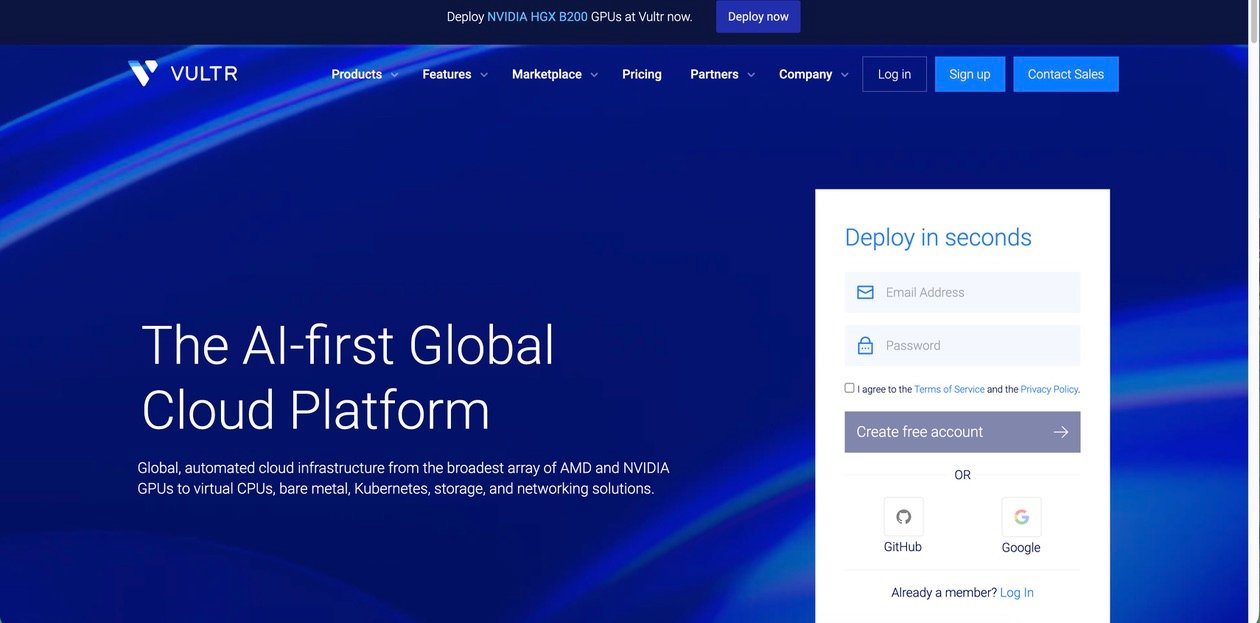
Vultr is a cloud infrastructure provider — you can spin up SSD VPS/cloud compute, object/block storage, load balancers, Kubernetes, and GPU instances across worldwide regions. It’s developer-focused, has an extensive docs site, an API, and a marketplace of pre-built images. For creators, that means plenty of tutorial topics (deploy apps, manage backup/snapshots, scale with load balancers, use the API, and GPU/AI setups). :contentReference[oaicite:1]{index=1}
Vultr emphasizes simple instant deployment and transparent pricing — useful for beginners who want reproducible steps and for creators who want readers/viewers to follow along easily. You can see product types and pricing pages to plan demos and mention real costs in your content. :contentReference[oaicite:2]{index=2}
Section 2 · Vultr Creator program
What the Vultr Creator program is and what they ask for
Vultr runs a Creator program where they pay creators to produce high-quality developer materials: tutorials for the Vultr Docs, demo videos for their YouTube, and other instructional content. The program aims to expand the docs and produce content that helps users deploy and manage software on Vultr. Exact compensation can vary; the Creator landing pages explain types of deliverables (docs, videos, demos) and how to get started. :contentReference[oaicite:3]{index=3}
- Step-by-step tutorials for Vultr Docs (how-tos).
- Short demo videos showing deployment, dashboard tasks, or integrations.
- Sample projects (GitHub repos) that readers can clone and run.
- Reference templates: cloud-init files, Terraform, or Docker Compose examples.
- Expand and maintain up-to-date docs and examples.
- Produce real-world demos for various workloads (web, databases, ML).
- Grow video tutorials for their product pages and YouTube channels.
- Promote best practices and real usage scenarios for customers.
Want to apply? The Vultr Creator landing page and the Creator Dashboard are the places to start — they have the program details, submission forms, and examples of the type of content they reward. :contentReference[oaicite:4]{index=4}
Section 3 · What to create
Best content types for Vultr (and which pay/perform best)
Pick deliverables that are verifiable and help users finish a real job. These content types are especially valuable:
- How-tos / Docs tutorials — precise step lists with commands, expected outputs, and troubleshooting tips. Examples: “Deploy a Django app on Vultr Cloud Compute”, “Set up Vultr Backups and snapshots”, “Use cloud-init to configure a server automatically”. (Docs submissions are core to the Creator program.)
- Short demo videos (3–8 minutes) — show the control panel flow, deploy an instance, SSH in, install a web server, and show live results. Keep videos visual and paced; captions/transcripts help repurposing into docs.
- Deep walkthroughs / project tutorials — a full project (blog, app, or simple API) with repo, CI/CD notes, and deployment on Vultr with domain and HTTPS. These make great multi-piece series.
- Tool integrations & automation — Terraform + Vultr API examples, GitHub Actions for deployment, or Ansible playbooks to manage multiple instances.
- GPU / AI quickstarts — demos using Vultr GPU instances for small ML workloads, or how to configure drivers and run a sample model. These are in demand as Vultr invests more in AI infrastructure. :contentReference[oaicite:5]{index=5}
Tip: choose problems that are measurable (e.g., “deploy app + configure HTTPS” — show exact commands), and include a working GitHub repo or CodePen so editors can verify your work quickly.
Section 4 · Workflow: plan → create → submit
Detailed step-by-step workflow for a first Vultr doc or video
Research official sources
Open the Vultr product pages, Docs, and the Creator landing page. Read similar existing docs and videos so your angle is new and useful. Keep the official docs open to copy exact CLI flags or API endpoints (don’t copy text verbatim — use the docs for accuracy). :contentReference[oaicite:6]{index=6}
Pick one small, useful project
Good examples: “Deploy WordPress on Vultr with one command”, “Provision a 2-node Docker Swarm on Vultr”, “Set up a Node.js app with PM2 and Nginx reverse proxy”. Keep scope 4–6 steps so it’s reproducible in one article or one short video.
Create a reproducible demo repo
Make a GitHub repo with a README that contains exact commands, cloud-init/text snippets, environment variables, and a quick start. Add a short LICENSE (MIT is fine) and sample test. Vultr editors love a working repo they can clone and run. Link the repo in your submission.
Write a clear outline (pitch-ready)
Your outline should include: 1) short pitch sentence (“This tutorial shows X”), 2) audience, 3) 4–8 section headings, 4) required tooling and versions, 5) demo repo link, and 6) expected result (what the reader will have at the end). This becomes the pitch in the Creator/Docs submission.
Make assets: screenshots, terminal recordings, and code blocks
Take screenshots of exact control panel steps and terminal outputs; record short terminal screencasts for commands that are lengthy. Produce a short GIF or static image for the article header. Keep images compressed (WebP/PNG) and label them precisely.
Draft full article and test every step
Write up the article with short paragraphs, numbered steps, code blocks, and expected outputs. Then take a fresh Vultr account (or a clean environment) and run the tutorial from step 1 to confirm there are no missing commands or assumptions.
Submit via the Creator form / Dashboard
Follow the Vultr Creator page instructions for submission: include your outline, the full draft or script, asset links (images, video), and a GitHub repo. Be clear about licensing, and state whether you allow Vultr to host the content. :contentReference[oaicite:7]{index=7}
Section 5 · Make videos that convert
Simple video workflow and script tips
Short, focused videos perform best for product pages and YouTube. Keep videos between 3–8 minutes for single-task walkthroughs and 8–20 minutes for full project tutorials. Here’s a compact script template you can reuse:
| Video section | What to include |
|---|---|
| Intro (10–20s) | One-line problem statement + result (what viewer will get). |
| Quick Start (30–45s) | Show the end result and the commands you’ll use so impatient viewers can skip to a timestamp. |
| Step-by-step (2–6 min) | Screen capture: control panel and terminal. Explain decisions, show outputs. |
| Troubleshooting (30–60s) | Common errors and quick fixes. |
| Wrap / Next steps (15–30s) | Links to repo, docs, and how to scale or secure the setup. |
Practical tips:
- Use subtitles or a transcript (great for SEO and repurposing into docs).
- Include chapter timestamps in the description so viewers jump to what they need.
- Keep the visual frame uncluttered — highlight commands with a large font in terminal (e.g., 16–18pt) and ensure contrast is high.
Section 6 · How creators get paid & other income
Payments, referral/affiliate, and ways to turn content into income
The Vultr Creator program pays creators for accepted deliverables (docs, videos, demos). Rates and structure can vary by assignment and level of work — consult the Creator page and the Creator Dashboard for current payment details. In addition there are other ways to monetize your content around Vultr:
- Direct Creator Payment — compensation Vultr offers for approved docs and videos (see Creator page for current rules and rates). :contentReference[oaicite:8]{index=8}
- Referral / Referral Program — Vultr’s referral program rewards you for bringing active customers; link your referral in video descriptions and articles. (Referral program details can be found on the Vultr site.) :contentReference[oaicite:9]{index=9}
- Affiliate / Sponsored posts — some creators combine official payments with affiliate commissions from cloud vendors or with sponsored writeups for tools that complement Vultr (CDNs, managed DBs, monitoring tools), ensuring transparency per FTC rules.
- Repurposing — turn one tutorial into a mini-course (sell on Gumroad), a multi-part blog series (monetize via ads), or offer paid consulting for companies wanting the same setup.
Important: always disclose paid relationships, sponsorships, and affiliate links clearly in your content to comply with platform rules and to keep trust with your audience.
Section 7 · SEO, distribution, and repurposing
How to get views and conversions from your Vultr content
A great article or video doesn’t earn if no one finds it. Follow this distribution playbook:
- Pick a focused keyword (e.g., “deploy django vultr”, “vultr cloud compute tutorial”). Use keyword tools (Google Keyword Planner, Ahrefs, Ubersuggest) to validate search volume.
- Write a clear H1 and meta description. Use a “quick start” box near the top with commands (this attracts “featured snippet” search results).
- Link to official Vultr docs, the product pages you used (control panel screenshots), and your GitHub repo for credibility.
- Add schema: HowTo or VideoObject schema if you publish on your site for better rich snippets.
- Publish a short thread or post on Twitter/X linking to the tutorial, with a short code snippet as a teaser.
- Share a trimmed clip on YouTube Shorts, Instagram Reels, or TikTok linking to the full tutorial.
- Convert the article into a PDF guide and offer it as a newsletter signup incentive (lead magnet).
- Submit to relevant communities: /r/webdev, Dev.to, Hashnode, and Q&A sections on StackOverflow when appropriate (link to the tutorial only when it directly solves someone’s problem).
Pro tip: include both a quick “one-liner command block” and a full walkthrough. Many visitors will scan — giving them a runnable one-liner helps adoption and backlinks.
Section 8 · Templates (pitch, outline, video script)
Copy-paste templates to save time
Subject: Creator proposal — “Deploying a Django + PostgreSQL app on Vultr with cloud-init and Nginx”
Pitch: This tutorial shows web developers how to deploy a production-ready Django app on a Vultr Cloud Compute instance using cloud-init for automation, Nginx + Gunicorn for serving, and automatic SSL with Certbot. The piece includes a GitHub repo with a one-command deploy (cloud-init), sectioned steps, screenshots, and a short video demo. Audience: intermediate Python developers who want a deployable starter. Estimated length: 1,800–2,400 words + 6 images + demo repo. Repo: https://github.com/youruser/django-vultr-demo
Intro (0:00–0:12): “In 5 minutes I’ll show you how to launch a Django app on Vultr and get HTTPS working.”
Quick Start (0:12–0:40): Show the end result and one-command deploy.
Steps (0:40–3:30): Create instance, SSH, run cloud-init, show Nginx/Gunicorn start, visit site.
Troubleshoot (3:30–3:50): Firewall or DNS tips.
Wrap (3:50–4:00): Link to full article and GitHub repo.
Title:
Deploy a Django App on Vultr in 10 Minutes (with cloud-init)Outline:
- Intro: who this helps and what the final state will be
- Prereqs: Vultr account, SSH key, domain (optional)
- Quick Start (one command)
- Step 1: Create instance (choose region, plan)
- Step 2: Use cloud-init (paste file + what each part does)
- Step 3: Configure Nginx + Gunicorn
- Step 4: HTTPS + Certbot
- Troubleshooting
- Conclusion & next steps
Section 9 · Final checklist, FAQs & resources
Checklist before submission & helpful links
FAQ — quick answers
- Vultr official homepage. :contentReference[oaicite:15]{index=15}
- Vultr Creator program — apply & details. :contentReference[oaicite:16]{index=16}
- Vultr Docs (product guides & tutorials). :contentReference[oaicite:17]{index=17}
- Vultr pricing page (useful when showing costs). :contentReference[oaicite:18]{index=18}
- Cloud Compute product page. :contentReference[oaicite:19]{index=19}
- Vultr API docs (useful for automation and Terraform). :contentReference[oaicite:20]{index=20}
- GitHub — host demo repos
- CodePen — small demos / front-end examples
- Dev.to — publish writing samples and gather audience
- YouTube — publish demo videos and short clips
- StackOverflow — answer questions and link to deeper tutorials when relevant
- /r/webdev — community distribution (follow rules before posting)